 NOXCUT
Editing by voice
You tell it like you'd tell a person: NoxCut shows what it understood, step by step, and does it in front of you. 0:26
NoxCut is a horizontal or vertical video editor made for streamers: word-by-word subtitles, your camera over the game, your matches and best plays found for you and hundreds of effects. All on your computer, with no cloud and no subscriptions.
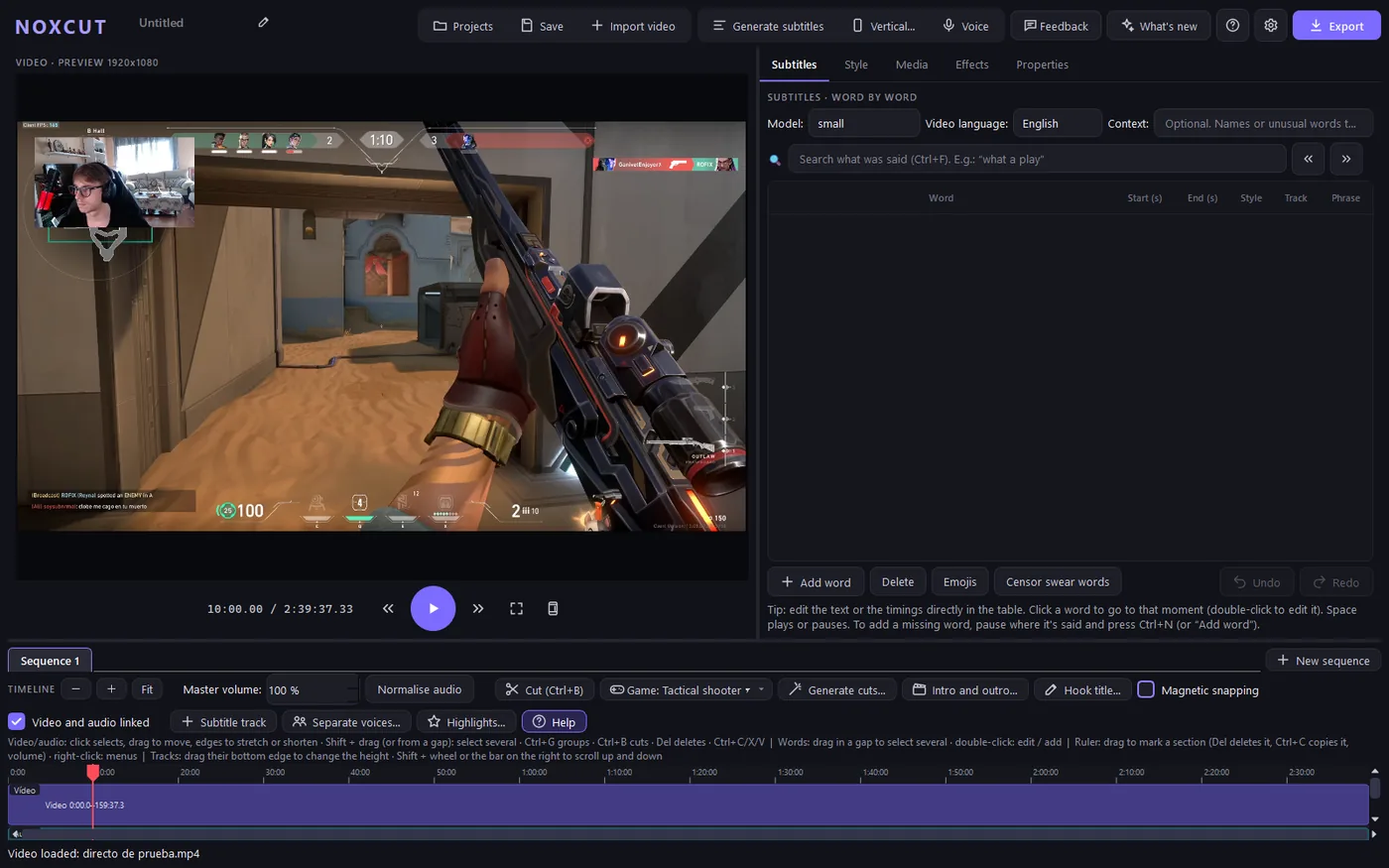
The parts of editing a stream that take the most time, NoxCut does by itself; you decide the result.
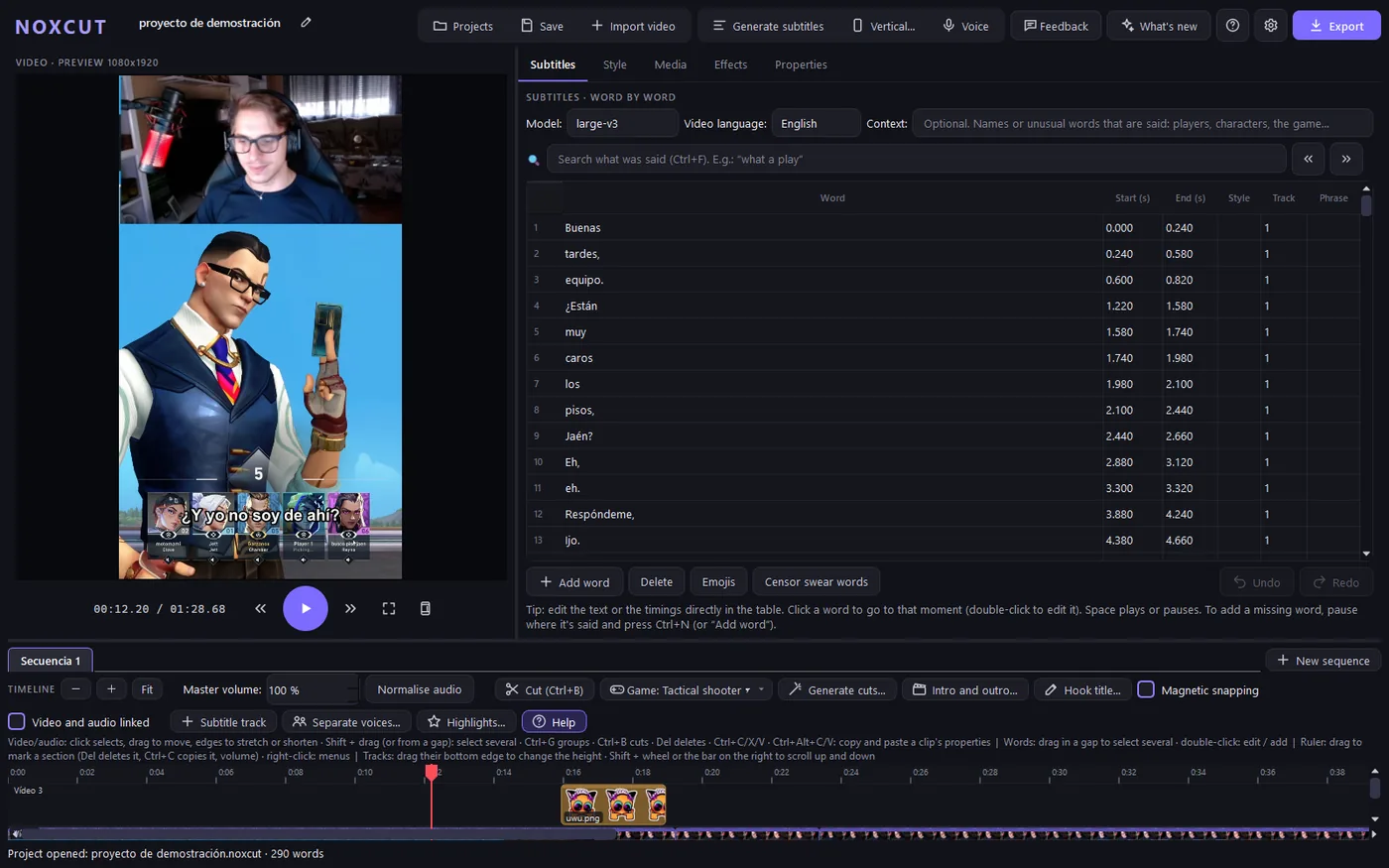
Generated on your computer, without internet, every word with its timing. Fix them by typing in the table, search them like a search engine («where did I say “what a play”?») and pick a shorts style from a gallery: karaoke, word by word, with «pop»…
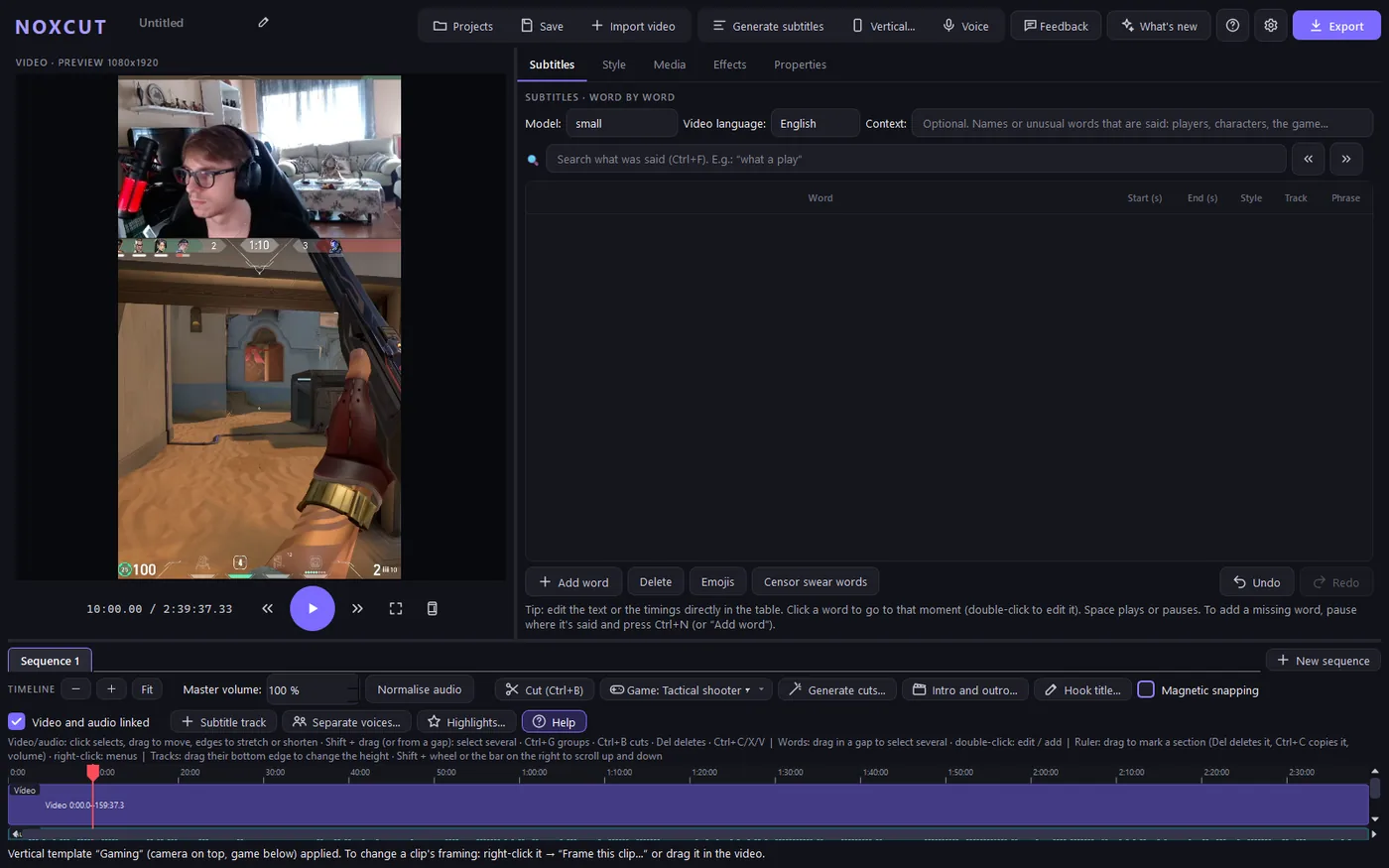
The vertical template puts your camera on top and the game below, or the floating camera over it, round and with a shadow. Drag it in the preview; every piece can have its own framing.
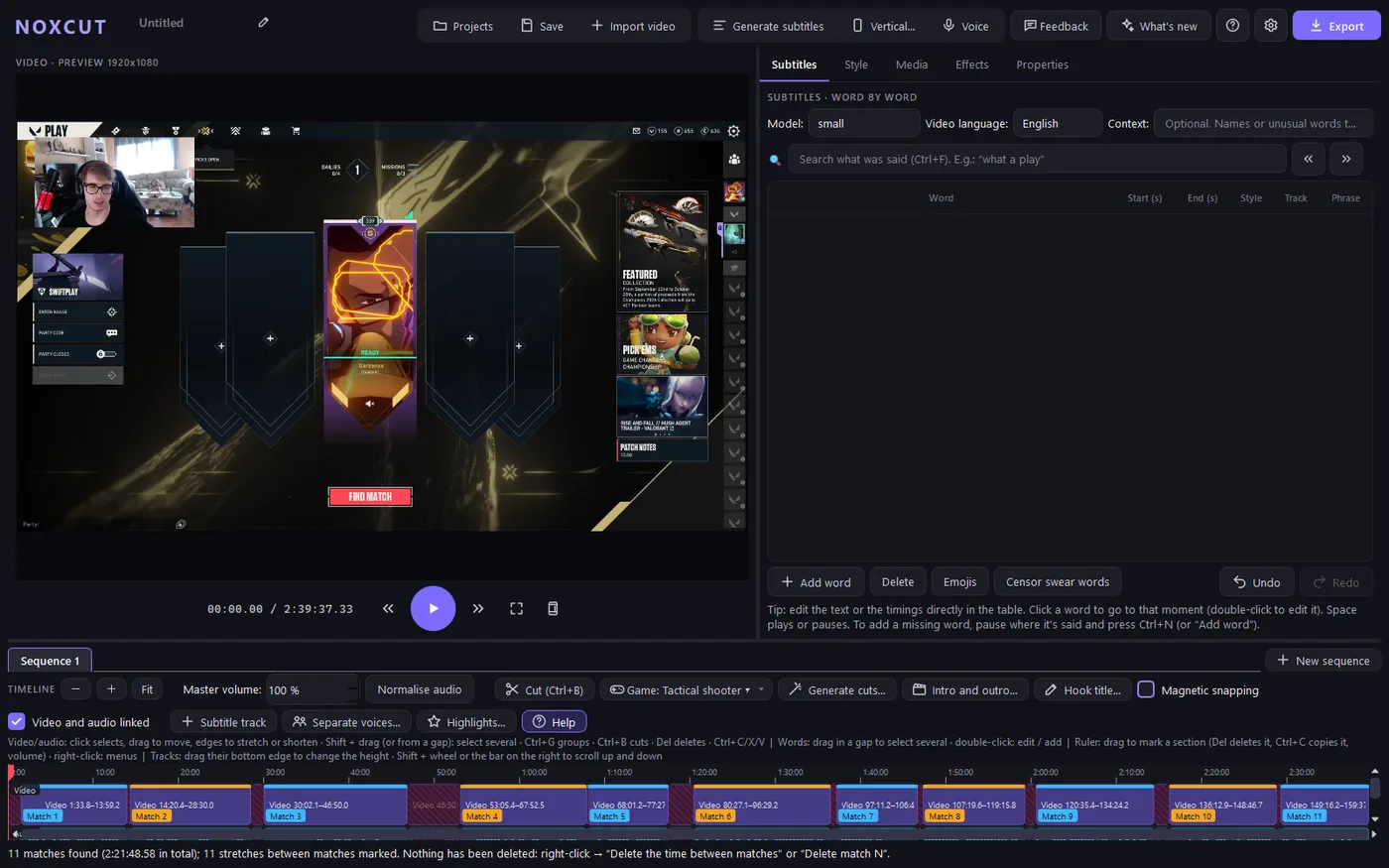
A stream of almost three hours: NoxCut finds every match in seconds and moves each one to its own tab. In tactical shooters it also gathers your kills by round: doubles, triples, aces…
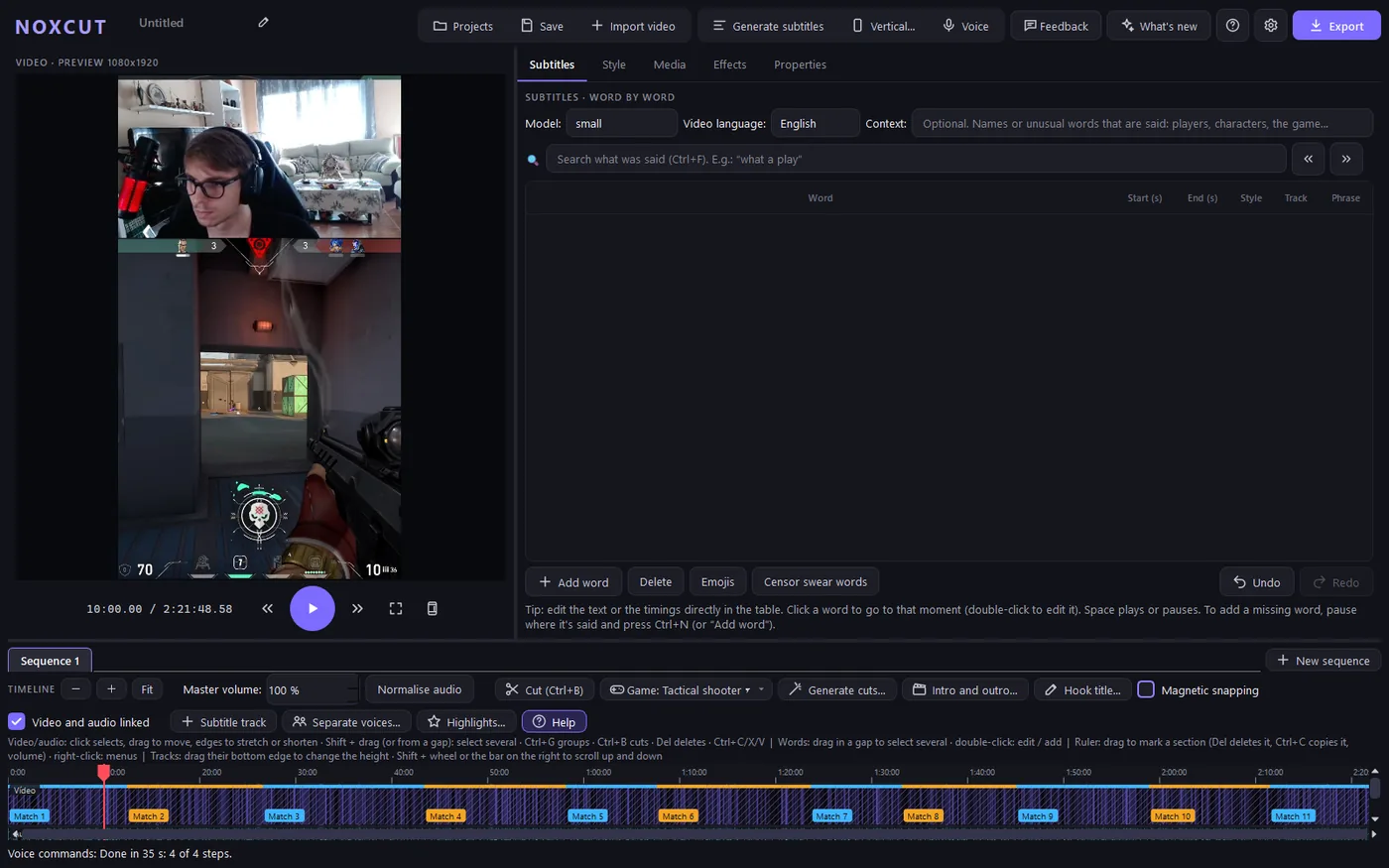
Say it like you would to a person: «remove the silences», «keep only match 3». NoxCut shows what it understood, step by step, and does it in front of you.
Transitions, zooms, filters, animations and over 150 sounds, to drag onto a piece.
Animated texts, over 100 letter effects, our own stickers and GIFs.
Export and generate subtitles faster with your GPU, laptops included.
Sequences to work on each part separately and export them all at once.
Split each person who speaks onto their own track, with their own subtitles.
When exporting it suggests the text for each network.
The whole program, and the subtitles, in both languages.
A guide inside the program shows you every button.
It tells you about every new version and what it brings.
Videos recorded using NoxCut for real, no staging. They're recorded again when something changes.
You tell it like you'd tell a person: NoxCut shows what it understood, step by step, and does it in front of you. 0:26
A blank project for TikTok: type the text, pick one of the 10 voices (5 male and 5 female) and NoxCut puts it on a new track, with word-by-word subtitles. All on your computer. 0:27
Generated on your computer (offline), each word with its timing. Corrected by typing, and the style is chosen from a gallery: karaoke, word by word or with “pop”. 0:30
The game full screen and your camera on top, round (or square, 4:3, 3:4…), with a shadow. Drag it anywhere in the preview and the mouse wheel changes its size. 0:26
A 2 h 40 min stream: NoxCut finds the 11 matches and puts each one in its own tab. 0:24
Without typing anything: NoxCut recognises the player from their own deaths, counts the kills in each round and keeps the ones you choose (doubles, triples, aces…). Before changing anything, it says what it's going to do. 0:41
A single window: NoxCut opens with all your projects, each with a frame from its video. Search as you type and, when you choose one, the same window switches to the editor. 0:23
Images and GIFs dragged from File Explorer or the Finder to anywhere in the window. With hundreds, the search box finds them as you type; then, into the video. 0:17
“📖 Guide”: choose a topic (for example, “How to make cuts”) and NoxCut takes you to that part, with an explanation next to each button. Or the full tour, which you can stop and continue whenever you like. 0:26
Like in any editor: drag to select several clips, Shift + click, delete a section from every track using the ruler and group clips into a block that moves as one. 0:25
NoxCut is free to download. To use it you need a licence, one per person and computer: ask for it with the contact form and we'll send it to you.
On Mac: unzip the .zip, drag NoxCut to Applications and, the first time, open it with right-click › Open.
NoxCut is made by Garzanox, a shooter streamer, to edit Garzanox's own streams. It started as a tool to get subtitles for those clips and has grown with what the editor and the community asked for.
Every idea comes in through the program's own suggestion box and many ship in the next version: there's something new almost every day.
Want to try NoxCut or have a question? Write to us. Garzanox and their editor read it; it's stored on Cloudflare and may be processed with Claude (Anthropic) to reply to you. More information in the privacy policy.